Search Tips
How do I enable or disable Push Notifications on the mobile apps?
Push Notifications for mobile devices can only be enabled in the apps on the devices themselves.
On the iOS app:
-
Touch More at the bottom of the screen. (If your account has more than one Location, be sure to select the one for which you are making changes.)
-
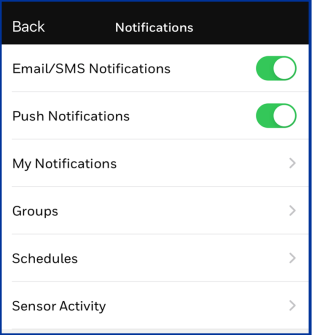
Select Settings then Notifications.
-
Enable or disable Push Notifications with the slide switch
On the Android app:
-
Touch
 at upper left on the app
 -
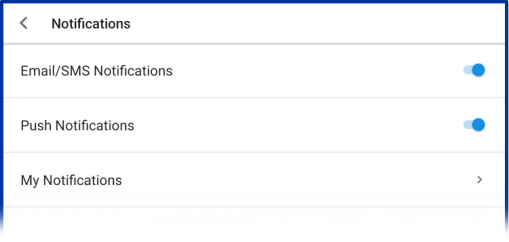
Select Settings then Notifications
-
Enable or disable Push Notifications with the slide switch